Add a whole shelf of Pops from one photo.
Snap your shelf, and PopArchive reads every box into a list you check before anything is saved. Pops you already own are caught, so no duplicates.
Curator Account feature · 30 shelf photos a month · free in the 7-day trial · works in your phone's browser
Five taps from shelf to collection
Real screens from a real shelf scan on a phone.
-
1
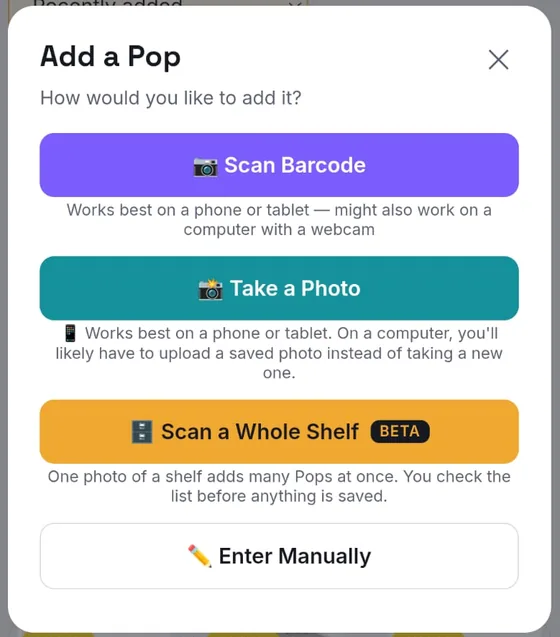
Tap "Scan a Whole Shelf"
Tap the big + Add to Shelf button and choose Scan a Whole Shelf.
-
2
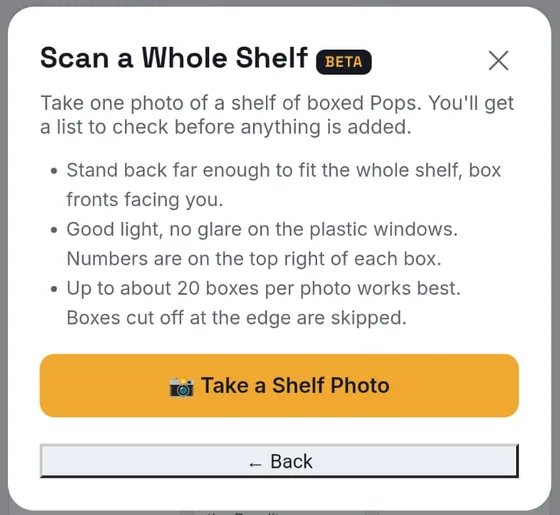
Line up your shelf
Stand back so the whole shelf fits, box fronts facing you, in good light without glare.
-
3
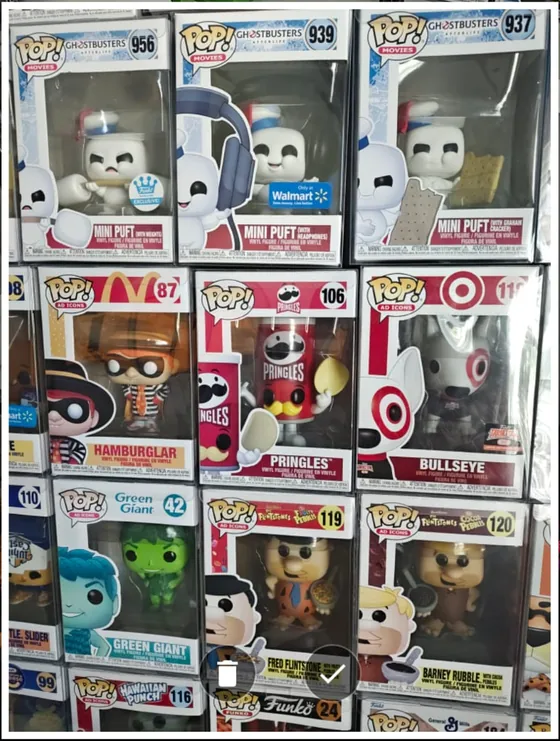
Snap one photo
One photo is all it takes. Up to about 20 boxes per photo works best.
-
4
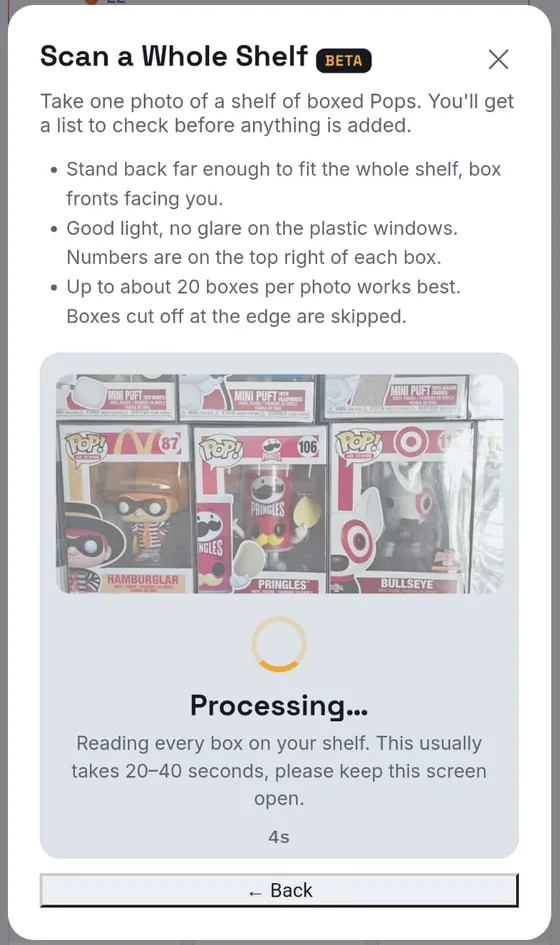
PopArchive reads every box
It usually takes 20 to 40 seconds. Keep the screen open while it works.
-
5
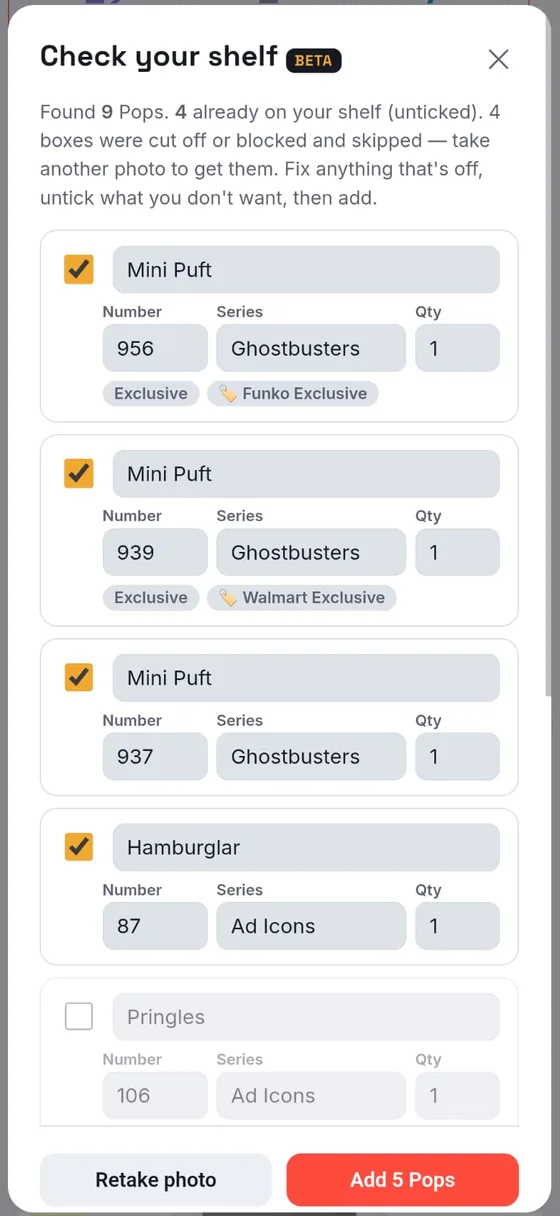
Check your shelf, then add
Fix anything that's off, untick what you don't want, then add them all in one tap.
Then finish each Pop
Your new Pops arrive with their name, number and series. Open each one to add the rest of the details you track, such as what you paid, and its box art.
Fast, but you stay in charge
Already own it? Caught.
Pops already on your shelf start unticked, so no accidental duplicates.
You check before it saves
Edit any name, number, series or quantity. Nothing is added until you tap Add.
Flagged, never guessed
Names or numbers it can't read clearly are flagged for you to fill in.
Spots exclusive stickers
Store and Funko Shop exclusive stickers are picked up as variants.
Tips for a great scan
- Fit the whole shelf. Stand back far enough, box fronts facing you.
- Kill the glare. Good light, no reflections on the plastic windows. Box numbers sit in the top right corner.
- About 20 boxes max. Boxes cut off at the edge are skipped; take a second photo for those.
- It's a beta. Tell us what it gets right and wrong with Contact Support in the app.
Shelf scan FAQ
What is shelf scan?
Shelf scan (beta) lets you add a whole shelf of boxed Funko Pops from one photo. PopArchive reads each box's name, number and series, plus sticker variants like store exclusives, and shows you a list to check. Nothing is saved until you tap Add.
Does shelf scan add Pops I already own?
No. Pops already in your collection start unticked, so you don't add duplicates by accident. You can still tick one if you own two.
How many Pops can I scan at once?
Up to about 20 boxes per photo works best. Boxes cut off at the edge of the photo, or hidden behind something, are skipped; take another photo to get them.
What if it reads a box wrong?
Every row is editable before you save: fix the name, number, series or quantity, or untick anything you don't want. Names or numbers it can't read clearly are flagged, never guessed.
What do I do after the scan?
Your new Pops are added with their name, number and series. Then open each one to add the rest of the details you track, such as what you paid, and its box art.
Is shelf scan free?
Shelf scan is a Curator Account feature with a fair-use limit of 30 shelf photos a month. Every new account gets a free 7-day trial of the Curator Account, no credit card required.
Can I install PopArchive on my phone?
Yes, and it's free. On iPhone, open app.poparchive.club in Safari, tap Share, then Add to Home Screen. On Android, open it in Chrome, tap the menu, then Install app. No app store needed, and barcode scanning works inside the installed app.
Scan your first shelf tonight.
Create a free PopArchive account. Every new account gets 7 days of the Curator Account, shelf scan included, no credit card required.
Start My ArchivePrefer to explore first? See everything PopArchive does.